Last updated: June 2026 | By Work Remote Global Team
Quick Answer: The best AI tools for remote workers in 2026 are Claude (writing & analysis), Notion AI (project management), Otter.ai (meeting transcription), Grammarly (writing quality), and Perplexity (research). Read our full reviews below.
The best AI tools for remote workers can save you 10 to 15 hours every week. After testing over 40 tools across writing, research, communication, and project management, we have narrowed it down to the 15 that actually make a measurable difference to remote professionals in 2026.
Whether you are a freelancer, a fully remote employee, or managing a distributed team, these AI tools will transform how you work — and how much you earn.
How We Ranked These AI Tools
Before diving into the list, here is exactly how we evaluated each tool:
- Usefulness for remote work — does it solve real remote work problems?
- Ease of use — can you get value within 10 minutes of signing up?
- Price vs value — is the free tier genuinely useful?
- Integration — does it connect with tools you already use?
- Reliability — does it consistently produce quality output?
Every tool on this list has been tested by our team over at least 30 days of real remote work use.
The 15 Best AI Tools for Remote Workers in 2026
1. Claude — Best Overall AI Assistant for Remote Work
Rating: 9.4/10 | Price: Free / $20 per month
Claude, built by Anthropic, is the most capable all-around AI assistant for remote workers in 2026. It excels at writing, analysis, coding, research, and complex reasoning — often outperforming competitors on tasks that require nuance and depth.
Why remote workers love it:
- Writes professional emails, reports, and proposals that sound genuinely human
- Analyses documents, spreadsheets, and PDFs in seconds
- Helps with coding across multiple languages
- Maintains context across very long conversations
- Refuses to hallucinate statistics — it tells you when it does not know
Best for: Freelancers, content creators, developers, consultants
Limitations: No real-time internet access on the free plan
2. Notion AI — Best for Project Management and Documentation
Rating: 8.8/10 | Price: Add-on to Notion plans from $10/month
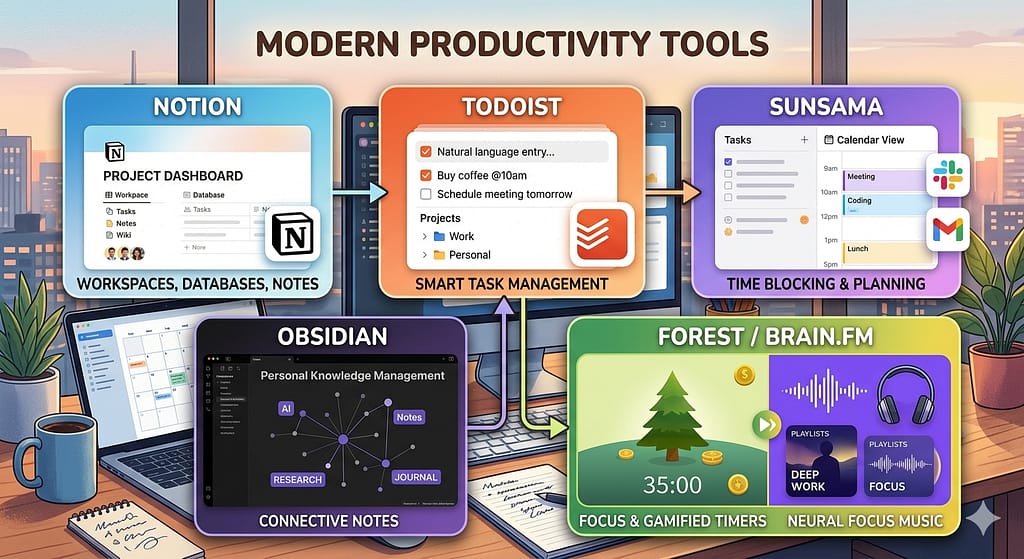
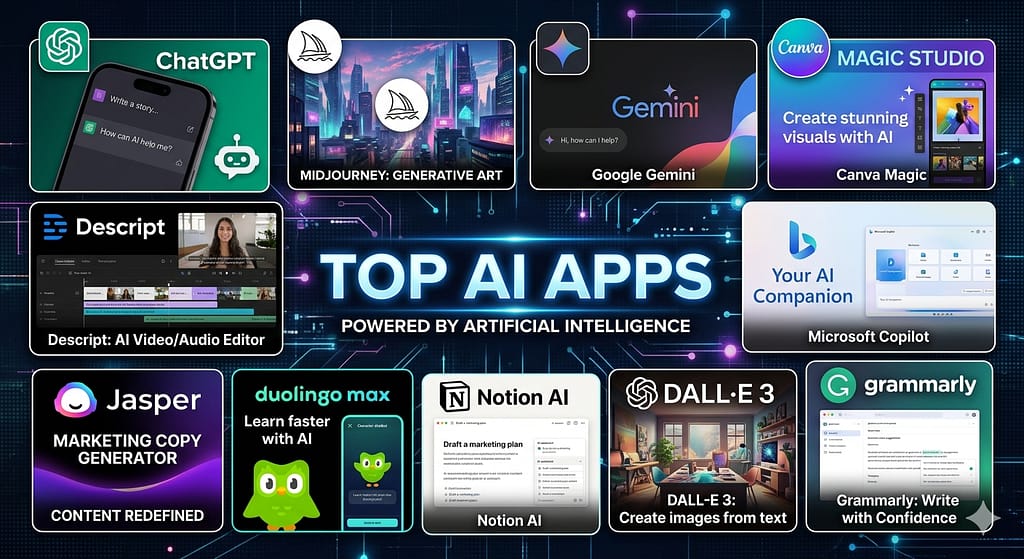
Notion AI transforms the already powerful Notion workspace into an intelligent knowledge base. It can summarise meeting notes, generate project plans, translate content, and fill your company wiki automatically.
Why remote workers love it:
- Summarises long documents in seconds
- Generates action items from meeting notes
- Translates content into 14 languages
- Integrated directly into your existing Notion workspace
Best for: Remote teams, project managers, startup founders
3. Otter.ai — Best for Meeting Transcription
Rating: 8.7/10 | Price: Free / $17 per month
Otter.ai automatically transcribes every meeting, call, and voice note. For remote workers juggling multiple time zones, it ensures nothing falls through the cracks even when you cannot attend live.
Why remote workers love it:
- Joins Zoom, Google Meet, and Teams automatically
- Generates AI summaries with action items
- Searchable transcript archive
- Real-time captions during live calls
Best for: Anyone who attends more than 3 meetings per week
4. Grammarly — Best for Professional Written Communication
Rating: 8.5/10 | Price: Free / $12 per month
Remote work is 80% written communication. Grammarly ensures every email, Slack message, document, and proposal you send represents you professionally. The AI now goes beyond grammar to suggest tone adjustments, clarity improvements, and persuasiveness upgrades.
Why remote workers love it:
- Works everywhere — Gmail, Slack, Google Docs, LinkedIn
- Tone detector warns you when an email sounds too aggressive or passive
- Plagiarism checker built in
- Rewrite entire sentences with one click
Best for: Everyone — this is a must-have for remote professionals
5. Perplexity AI — Best for Research
Rating: 8.7/10 | Price: Free / $20 per month
Perplexity is what Google should be. Ask any research question and get a comprehensive, cited answer with real-time web sources. For remote workers who need to stay current in their industry, it is invaluable.
Why remote workers love it:
- Always cites sources — no hallucinations
- Real-time web access on all plans
- Follows up on your questions with intelligent sub-questions
- Produces competitor analysis, market research, and industry reports in minutes
Best for: Researchers, marketers, consultants, journalists
6. GitHub Copilot — Best for Remote Developers
Rating: 9.1/10 | Price: $10 per month
If you are a developer working remotely, GitHub Copilot is non-negotiable in 2026. It completes entire functions from comments, suggests bug fixes in real time, and can explain unfamiliar codebases instantly.
Best for: Software developers, data scientists, DevOps engineers
7. Fireflies.ai — Best for Async Team Communication
Rating: 8.4/10 | Price: Free / $18 per month
Fireflies records, transcribes, and analyses every meeting. It goes further than Otter.ai by tracking who said what, measuring talk time, and generating conversation intelligence reports — ideal for distributed teams.
Best for: Team managers, sales teams, remote startups
8. Zapier AI — Best for Workflow Automation
Rating: 8.3/10 | Price: Free / $20 per month
Zapier has added powerful AI to its automation platform. You can now describe a workflow in plain English and Zapier builds the automation for you — no coding required. For remote workers managing multiple tools and clients, this is a game changer.
Best for: Freelancers, virtual assistants, operations managers
9. Midjourney — Best for Visual Content Creation
Rating: 8.6/10 | Price: $10 per month
Remote workers who create content, presentations, or marketing materials will save hours with Midjourney. Type a description and generate professional-quality images in seconds — no design skills needed.
Best for: Content creators, marketers, designers, bloggers
10. Loom AI — Best for Async Video Communication
Rating: 8.2/10 | Price: Free / $15 per month
Loom lets you record quick video updates instead of writing long emails. The AI now automatically generates titles, summaries, and chapters for every recording — and can even reduce filler words in your recording.
Best for: Remote teams, managers, client-facing roles
11. Writesonic — Best Budget AI Writing Tool
Rating: 7.9/10 | Price: Free / $13 per month
For remote workers who need to produce a high volume of written content on a budget, Writesonic offers strong output quality at a lower price than premium tools. It covers blog posts, social media, ad copy, and emails.
Best for: Content marketers, bloggers, social media managers
12. Descript — Best for Podcast and Video Editing
Rating: 8.5/10 | Price: Free / $24 per month
Descript treats audio and video like a text document — delete a word in the transcript and it deletes it from the video. The AI removes filler words, generates captions, and can even clone your voice for corrections.
Best for: Podcasters, YouTubers, content creators, remote marketers
13. Motion — Best for Smart Scheduling
Rating: 8.1/10 | Price: $34 per month
Motion uses AI to automatically build your daily schedule based on your priorities, deadlines, and calendar. When new tasks arrive, it reshuffles your entire day intelligently. For remote workers fighting calendar chaos, it is transformative.
Best for: Freelancers, entrepreneurs, anyone managing multiple projects
14. Jasper — Best for Marketing Teams
Rating: 8.0/10 | Price: $49 per month
Jasper is built specifically for marketing teams and produces high-quality marketing copy — landing pages, ads, email sequences, and blog posts — at scale. Its Brand Voice feature ensures consistency across all team outputs.
Best for: Marketing teams, agencies, brand managers
15. Superhuman AI — Best for Email Management
Rating: 8.3/10 | Price: $30 per month
Superhuman is the fastest email client ever built, now enhanced with AI that triages your inbox, drafts replies in your voice, and ensures you never miss an important message. For remote workers drowning in email, it is worth every penny.
Best for: Executives, sales professionals, anyone receiving 50+ emails daily
Quick Comparison Table
| Tool | Best For | Free Plan | Paid From |
|---|---|---|---|
| Claude | Writing & Analysis | Yes | $20/mo |
| Notion AI | Documentation | Add-on | $10/mo |
| Otter.ai | Meetings | Yes | $17/mo |
| Grammarly | Communication | Yes | $12/mo |
| Perplexity | Research | Yes | $20/mo |
| GitHub Copilot | Coding | No | $10/mo |
| Fireflies.ai | Team Meetings | Yes | $18/mo |
| Zapier AI | Automation | Yes | $20/mo |
| Midjourney | Images | No | $10/mo |
| Loom AI | Video Updates | Yes | $15/mo |
Which AI Tool Should You Start With?
If you can only choose one AI tool to start with, choose Claude. It handles writing, research, analysis, coding help, and strategic thinking — all in one place. The free plan is genuinely powerful and the paid plan at $20 per month pays for itself within the first week.
If you attend a lot of meetings, add Otter.ai next. If you write a lot of professional communications, add Grammarly — it works silently in the background across every app you use.
How AI Tools Help Remote Workers Earn More
The average remote worker who adopts AI tools reports saving 2 to 3 hours per day. At an average remote salary of $95,000 per year, that efficiency gain is worth $15,000 to $23,000 annually in reclaimed productive time.
More importantly, AI tools help remote workers:
- Deliver higher quality work to clients and employers
- Take on more projects without burning out
- Compete for higher-paying senior roles by producing senior-level output
- Build side income streams through content creation and automation
Frequently Asked Questions
Q: Are AI tools safe to use for work tasks? A: Yes, but always review AI output before sending. Never paste sensitive client data or passwords into AI tools unless you have confirmed their privacy policy allows it. Claude, Notion AI, and most enterprise tools offer data privacy controls.
Q: Can AI tools replace remote workers? A: No — AI tools augment remote workers rather than replace them. The workers most at risk are those who refuse to learn AI tools, because colleagues and competitors who use them will simply outperform them. Think of AI as having a very capable intern who never sleeps.
Q: What is the best free AI tool for remote workers? A: Claude and Grammarly both offer genuinely powerful free plans. Claude handles complex writing and analysis; Grammarly handles real-time communication quality. Start with both for free before paying for anything.
Q: Do I need to learn to code to use AI tools? A: Absolutely not. All 15 tools on this list are designed for non-technical users. You use them by typing in plain English — no coding, no technical setup required.
Q: How much should I budget for AI tools as a remote worker? A: Most remote professionals get excellent results spending $30 to $60 per month across 2 to 3 AI tools. Start free, identify which tools genuinely save you time, then upgrade only those.
Q: Are these AI tools available worldwide? A: Most are available globally, though a handful have regional restrictions. Claude, Grammarly, Notion AI, and Perplexity are available in virtually every country.
Conclusion
The 15 best AI tools for remote workers in 2026 will fundamentally change how much you can produce, how professional your output looks, and how quickly you advance in your remote career. Start with the free plans, measure the time you save, and invest in paid plans only for the tools that prove their value.
Ready to find a remote job where these tools give you a competitive edge? Browse our latest remote job listings or use our free AI cover letter generator to apply faster.
Author: Work Remote Global Editorial Team | Work Remote Global has been connecting remote workers with global opportunities since 2026. Our reviews are independent — we are never paid to recommend tools.